So I thought I’d continue with another shot taken a couple of Sundays ago at Bodiam castle for this weeks mono Monday. For this shot I got in close with a fairly wide angle (26mm on cropped sensor) to try and achieve a more dynamic view of this classic Morgan, keeping the aperture to a modest f8 to throw the background just out of focus to create a sense of depth. I still bracketed my shots due to the harsh sunlight but when it came to putting them all together in Photomatix, the top half being of soft focus did not work out at all well, with lots of nasty edges to be seen. I decided the best way around this would be to bring both the HDR version and one of the single brackets into Photoshop combining them using layers, then I gently erased the top half of the HDR image to reveal the single exposure underneath . So what you see above is a mix of both HDR and a single exposure.
The next step was to bring this back into Lightroom, where I used a combination of two or three of onOne software’s free plugins to convert to black and white, then I continued to tweak things until I was happy. HDR mono is not something I’ve really done before, I hope you like the result.
OK, so I found a little extra time to do a post on a little something that I stumbled across yesterday afternoon during a family day out.
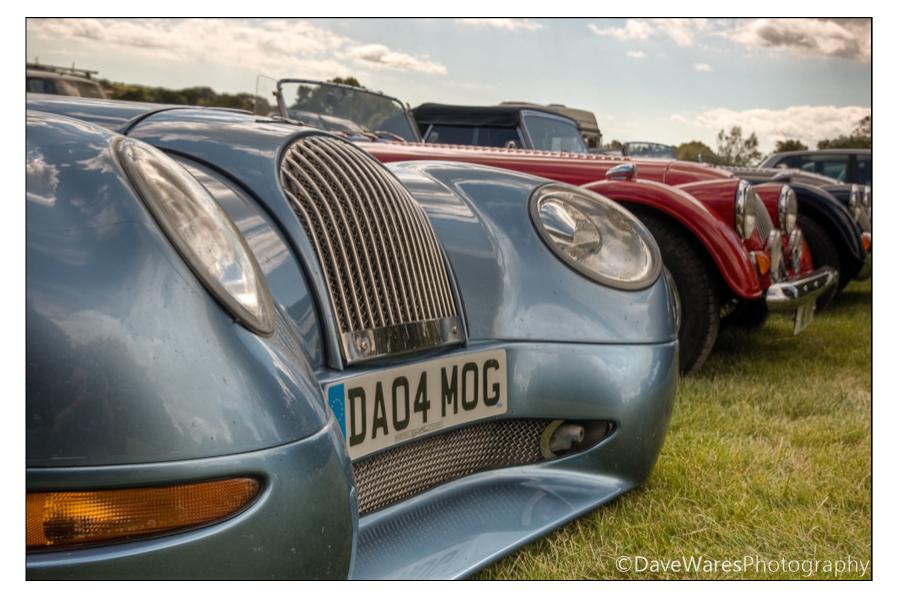
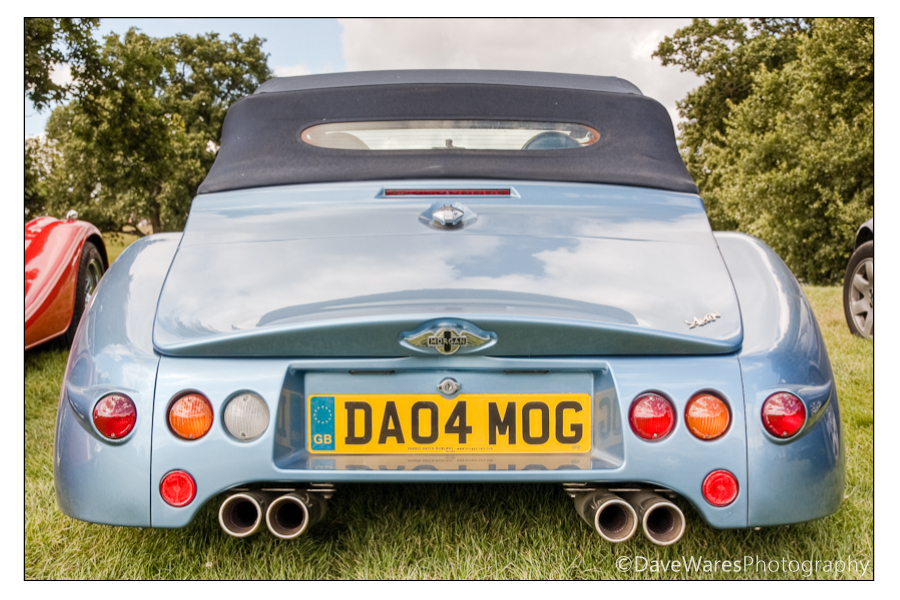
So on Sunday afternoon my wife and I decided to take the kids to a medieval event going on at Bodiam castle. The camera of course was coming along but I was only expecting to be taking family snaps as I wasn’t really sure what to expect. However, upon arrival the parking attendant directed me to a spot right beside a group of classic old cars, namely the Morgan. I parked right beside four of them, fantastic look vehicles, and one of them I had never seen before; a modern incarnation that was in keeping with the old design but with a new slant. If I’m to believe the year 04 on the plate then it’s still a good 7 years old, but still fairly new in the scheme of things.
Due to the harsh light of the mid afternoon sun, shooting brackets for HDR was really the only option if I wanted to keep all the detail on the car and in the sky. I didn’t take my tripod though, so I did as best I could to keep as still as possible to get my 3 brackets of +/-2ev. I also had the shutter set to continuous shooting.
I found myself sitting on the grass, legs spread out and leaning back in order to frame the pictures in a way that I found pleasing. You can see a glimps of one of the older versions parked next to this one, and of course I took a few pics of those too. I shall show those in a future post though.
A modern classic.
A very cool surprise indeed, just goes to show that you should always be prepared.
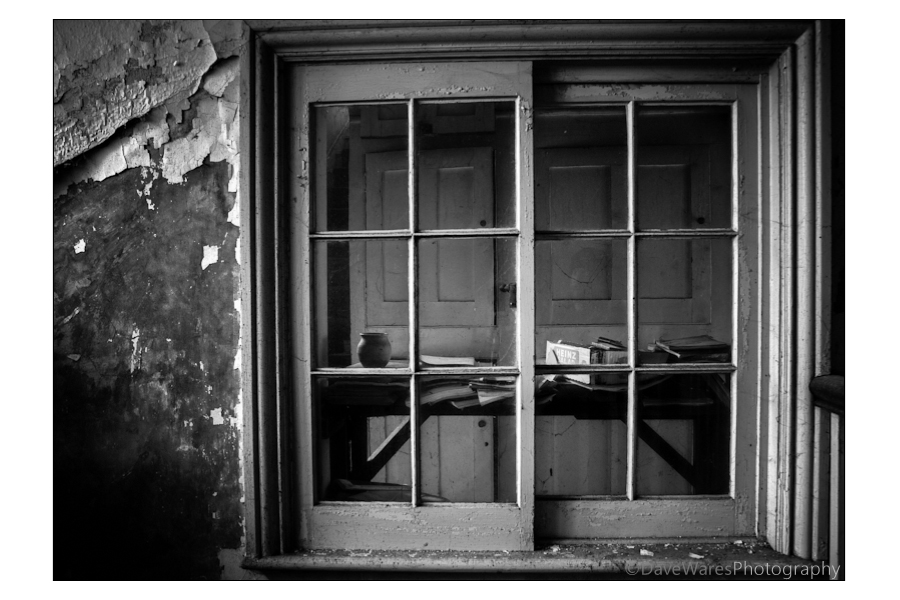
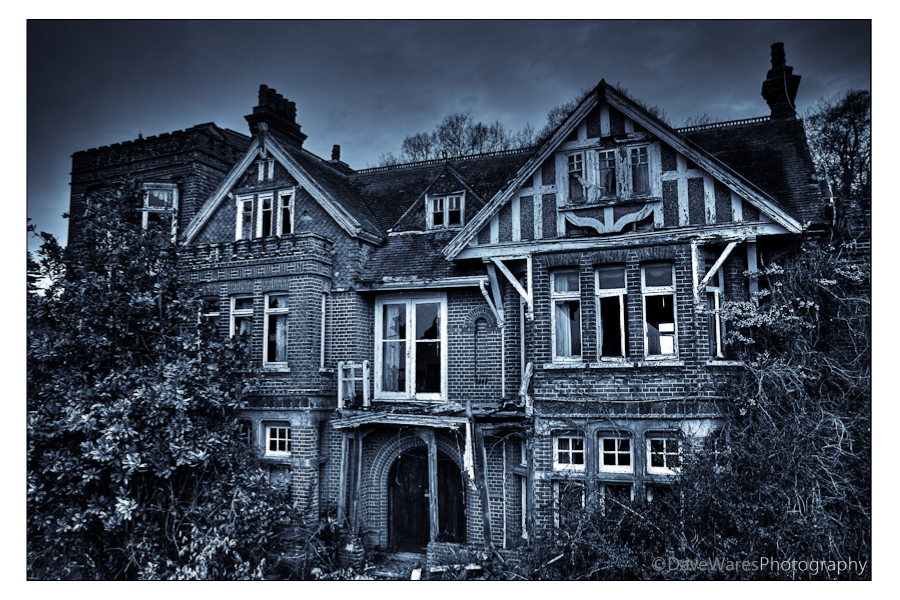
Just a quick post today as I’ve been busy with other things, however I wasn’t going to miss posting another image for Mono Monday. This picture has been sitting on my Hard drive for some time but not seen by anyone until now.
Due to the dilapidated nature of the building I thought that applying a selenium tone would give it a slightly spooky feel.
A while a go I decided to have a stab a creating a time lapse video. Please turn your sound on to hear the music.
This video is only my second attempt so there are a couple of faults with it, the main one being the spot of sensor dust. Darn these Dslrs!
Creating a time lapse movie is a relatively straight forward process, the main thing you’ll need though is a lot of patience. First of all there will be a small amount of maths that you’ll need to calculate before you set out. First is the intended length of your movie, I would suggest anything between 30-60 seconds. This may not sound a lot but things will become a bit tedious if longer than this, unless it’s something pretty spectacular. Next you need to determine the length of the event you will be shooting, for example in this movie I decided I wanted to capture half hour before and after sunrise, so an hour in total. Lastly (and this is optional but a good guideline to stick to) movies tend to be shot at around 24-25 frames per second, so this is the amount of photos you’ll need to take for every second of movie; so for example if you wanted a 30 second movie you would calculate 24×30=720. 720 will be the number of shots needed to create your 30 sec movie. Now you need to determine at what intervals you’ll need to take each photo, which is as follows: 3600 seconds ( an hour in seconds that I want to capture) divided by 720 shots =5 So you’ll need to take one shot every five seconds.
So again as a list:
24 shots multiplied by length of movie in seconds =total number of shot needed
Convert duration of event into seconds (e.g 1hour=3600 seconds)
Divide duration of event by number of shots needed to give the interval at which each shot should be taken.
Now, there are a couple of ways in which you can do this. One is to buy an intervalometer, a gizmo that plugs into the cable release socket on your camera ( if you have one). This is great as you can just program this with your shots per second and let it get on with it, time to put up your camping chair and get the flask of tea out. Second is the hard way and the way I had to do it (which is probably one of the reasons why I’ve left it so long to attempt another), and that is to do it manually with a remote shutter and a stopwatch. This will be the thing that puts most people off as it is really tedious, but the results can be well worth it I can assure you.
How you set the camera up will depend on the situation and a little trial and error will be needed, however I would recommend switching to full manual, that includes the focus and choosing a white balance too rather that having it on auto, that way all of the shots will have a consistent look. No need to shoot RAW either or at max size, this will make the process longer in post and take up an enormous amount of hard drive space. I would set the file size to small jpeg as even at this size your photos should still be large enough to make a HD movie at 1080p, and the smaller the file the more you can get on a single memory card. You don’t want to be swapping cards during a time lapse shoot.
Making the movie on the computer is not too difficult, you can use Quicktime pro or as I did using Windows Live movie maker or any number of other software out there. If using Windows Live Moviemaker, load in all of your images, highlight them all, then change the slide duration to 0.05 to give you a frame rate of around 24-25 seconds. Add sound, music captions as desired. I would recommend finding copyright free music to prevent any issues.
Hope you enjoyed my rather Heath Robinson attempt at time-lapse and hope my guide is half way understandable. If any one has more tips or suggestions, please leave a comment for others to see.
So here we are with another mono Monday image. This was taken a couple of years back whilst on a trip to London with my cousin and a couple of his friends. I like how I’m taking a picture of someone appreciating another photographers work. There’s a simplicity about having just the one person in the frame that appeals to me, had there been more it wouldn’t have worked so well, if at all. Black and white just seems to be the right choice for this picture.
I’ll have to make a return visit at some point and have another stab at some street photography as it’s an area I really need to get more confidence with.
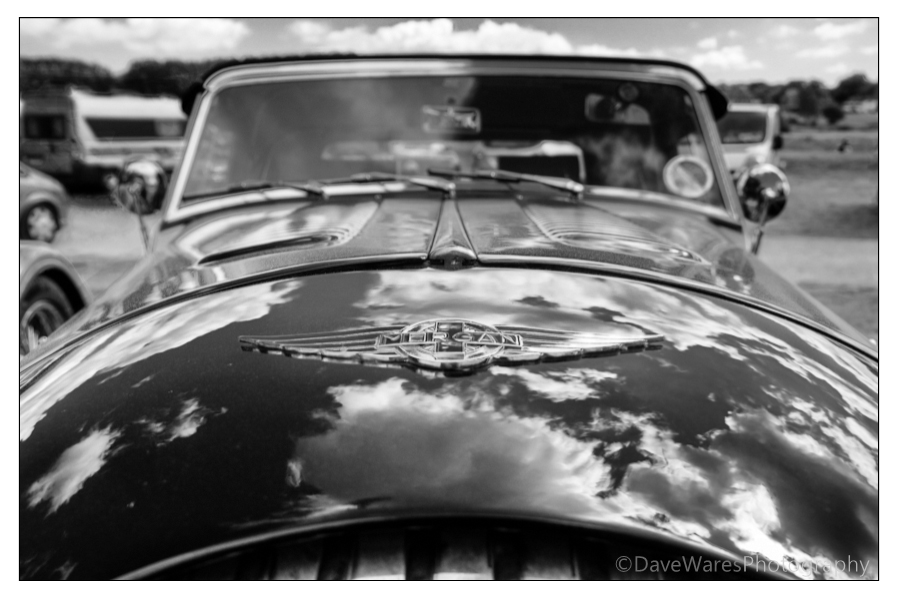 So I thought I’d continue with another shot taken a couple of Sundays ago at Bodiam castle for this weeks mono Monday. For this shot I got in close with a fairly wide angle (26mm on cropped sensor) to try and achieve a more dynamic view of this classic Morgan, keeping the aperture to a modest f8 to throw the background just out of focus to create a sense of depth. I still bracketed my shots due to the harsh sunlight but when it came to putting them all together in Photomatix, the top half being of soft focus did not work out at all well, with lots of nasty edges to be seen. I decided the best way around this would be to bring both the HDR version and one of the single brackets into Photoshop combining them using layers, then I gently erased the top half of the HDR image to reveal the single exposure underneath . So what you see above is a mix of both HDR and a single exposure.

 Dave Wares