As the Sun continued to rise, the lovely warm colours that I had been lucky enough to capture on this particular morning ( see here) slowly began to disappear, being replaced by a light blue and rather bland sky. Seeing these worn and battered posts I knew that I had to get a couple of shots of them before heading back towards the WW2 Pill Box. Initially not knowing how to frame this mass of wood, a short wander around to the right revealed this simple composition and I knew straight away that this had the potential for a minimalist black and white image. Processing this in Lightroom took next to no time, using the low contrast Black and white preset then tweaking the clarity slider to soften the image a little. I did consider bleaching out the whites, but for me this made the image too stark and it lost some of its feel. I decided that a slight letterbox simplified things even further, getting rid of unnecessary space from both top and bottom.
I reckon this would be nice as a fine art print using matte paper or perhaps as a gallery wrap canvas.
So it’s 5.30am Sunday morning and my alarm had just gone off. With one thing and another it has been quite a while since I’ve had the chance to get up early to do some photography, but today I’m making a concerted effort to get out there. The weather this past week has been absolutely superb and is due to continue for a few days more, so I wasn’t going to miss the opportunity to make the most of it. With camera bag all packed and ready to go I threw on some clothes, grabbed my hiking shoes and set off out.
‘iso200 50mm 4sec at f22’
Winchelsea beach is only about a 15-20 min drive from my house but even so, by the time I reached the car park it was already beginning to get light, though sunrise still was still some time to go. I grabbed my bag and tripod and quickly headed for the beach. Great, the tide was in and the waves were still gently lapping around the now rather worn wooden posts. This is one of those locations where you want the tide to be in if you want to get nice shots of water around the posts. It’s a great location when the tide is out too if long stretches of sandy beach is what you’re after.
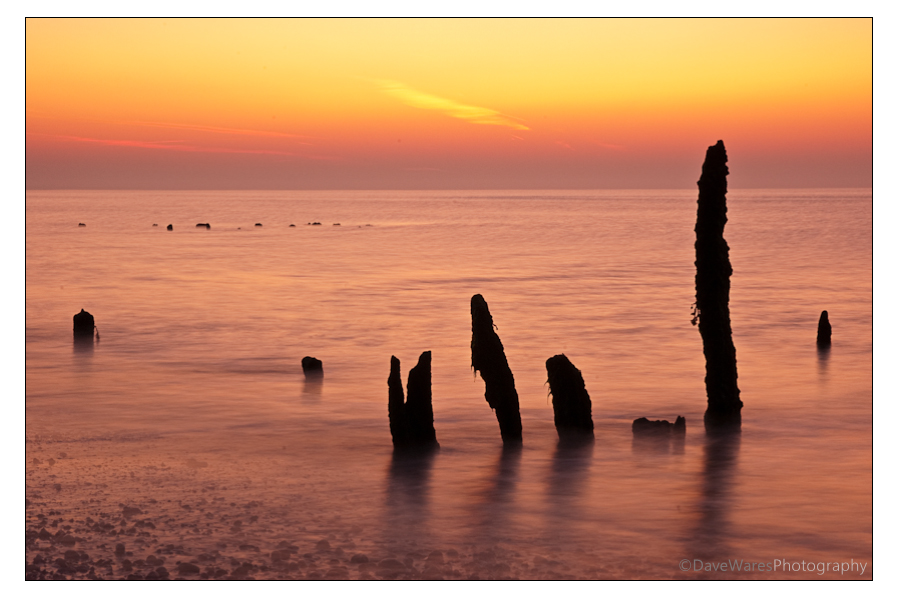
I was a little worried about how the sky would look as there wasn’t a cloud to be seen, but there was just enough transition in colour to keep it interesting as long as I composed to have the horizon around a third down from the top. In fact this is what I wanted as my aim was to get some long exposures to try to turn the water misty and add more atmosphere to the already gorgeous colours. The exposures for the most part were around 4-6 seconds at either f16 orf22, so certainly long enough for the water to blur but the sea was just a little too calm for my liking and I didn’t get as much mist as I would’ve liked, larger waves would’ve done the job.
‘iso200 50mm 4sec at f22’
As you can see I did move around a bit trying slightly different compositions, and after about half an hour or so and being quite pleased with some of the results I packed up my gear and headed back towards Pett Level and the old WW2 pill box…
A while a go I decided to have a stab a creating a time lapse video. Please turn your sound on to hear the music.
This video is only my second attempt so there are a couple of faults with it, the main one being the spot of sensor dust. Darn these Dslrs!
Creating a time lapse movie is a relatively straight forward process, the main thing you’ll need though is a lot of patience. First of all there will be a small amount of maths that you’ll need to calculate before you set out. First is the intended length of your movie, I would suggest anything between 30-60 seconds. This may not sound a lot but things will become a bit tedious if longer than this, unless it’s something pretty spectacular. Next you need to determine the length of the event you will be shooting, for example in this movie I decided I wanted to capture half hour before and after sunrise, so an hour in total. Lastly (and this is optional but a good guideline to stick to) movies tend to be shot at around 24-25 frames per second, so this is the amount of photos you’ll need to take for every second of movie; so for example if you wanted a 30 second movie you would calculate 24×30=720. 720 will be the number of shots needed to create your 30 sec movie. Now you need to determine at what intervals you’ll need to take each photo, which is as follows: 3600 seconds ( an hour in seconds that I want to capture) divided by 720 shots =5 So you’ll need to take one shot every five seconds.
So again as a list:
24 shots multiplied by length of movie in seconds =total number of shot needed
Convert duration of event into seconds (e.g 1hour=3600 seconds)
Divide duration of event by number of shots needed to give the interval at which each shot should be taken.
Now, there are a couple of ways in which you can do this. One is to buy an intervalometer, a gizmo that plugs into the cable release socket on your camera ( if you have one). This is great as you can just program this with your shots per second and let it get on with it, time to put up your camping chair and get the flask of tea out. Second is the hard way and the way I had to do it (which is probably one of the reasons why I’ve left it so long to attempt another), and that is to do it manually with a remote shutter and a stopwatch. This will be the thing that puts most people off as it is really tedious, but the results can be well worth it I can assure you.
How you set the camera up will depend on the situation and a little trial and error will be needed, however I would recommend switching to full manual, that includes the focus and choosing a white balance too rather that having it on auto, that way all of the shots will have a consistent look. No need to shoot RAW either or at max size, this will make the process longer in post and take up an enormous amount of hard drive space. I would set the file size to small jpeg as even at this size your photos should still be large enough to make a HD movie at 1080p, and the smaller the file the more you can get on a single memory card. You don’t want to be swapping cards during a time lapse shoot.
Making the movie on the computer is not too difficult, you can use Quicktime pro or as I did using Windows Live movie maker or any number of other software out there. If using Windows Live Moviemaker, load in all of your images, highlight them all, then change the slide duration to 0.05 to give you a frame rate of around 24-25 seconds. Add sound, music captions as desired. I would recommend finding copyright free music to prevent any issues.
Hope you enjoyed my rather Heath Robinson attempt at time-lapse and hope my guide is half way understandable. If any one has more tips or suggestions, please leave a comment for others to see.
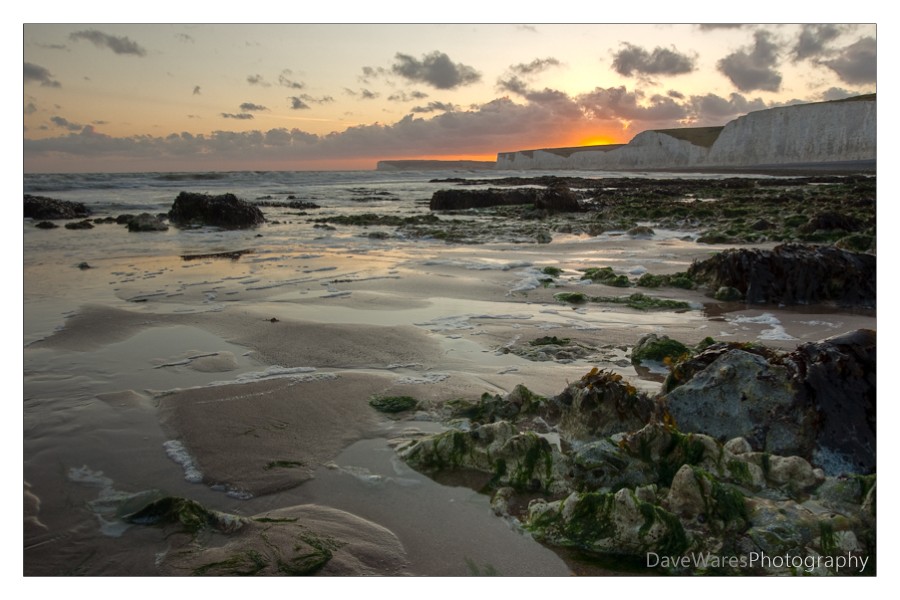
So here are a couple more shots from my trip down to Birling Gap last Tuesday. Perhaps not the most exciting light you ever saw but it was very nice to be out with the camera nonetheless; that’s the one thing I love about this type of photography, the excuse to rid your mind of those everyday tasks and enjoy the experience of involving yourself with nature.
All in all I ended up with around half a dozen shots that I’m quite pleased with, a success in my book. Having started out shooting slides I still work on the principle of 4-5 shots out of 36 being a good crop.
I do love the almost mirror like reflections between the sand ripples.
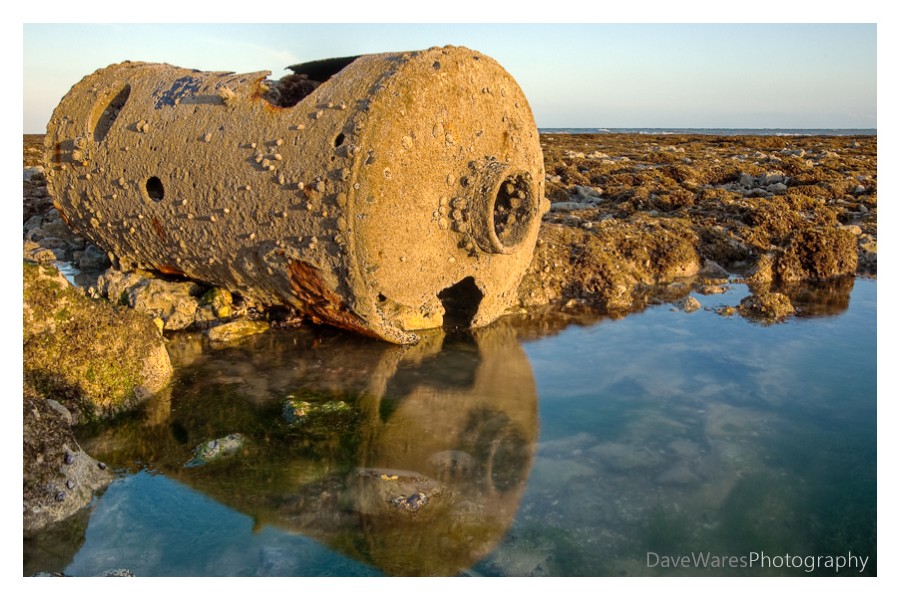
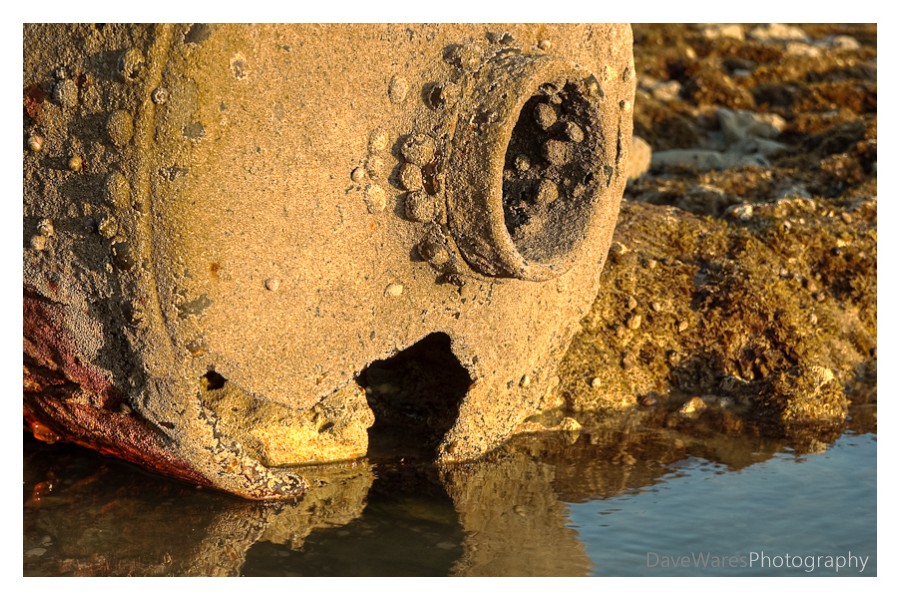
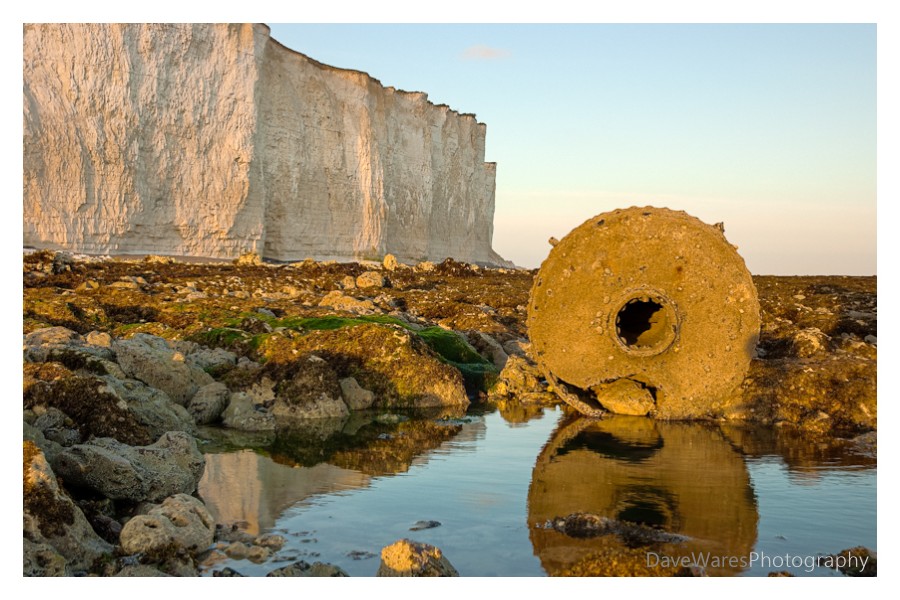
Last Tuesday I met up with my cousin Steve and his friend Graham for a spot of photography down at Birling Gap. The tide was set to be going out during our evening and so would maximise our opportunity for getting some nice shots both before and after sunset. The weather had different plans though and was changing every couple of hours, though this was not a problem as it had the potential to produce a lot of different lighting situations for us to work with. In the end it just turned a flat grey with all the atmosphere disappearing, however, when we arrived there was a lovely slightly golden colour to the light, though it was rather windy. We decided that it was perhaps a little too bright to start taking pictures towards the sun and so we started walking in the opposite direction looking for shots. After a short while the three of us had spread out to look for our own shots which is when I spotted this old buoy in the distance ( thought at the time I wasn’t exactly sure what it was). Being a dereliction fan I decided I must go and photograph it and so with camera and tripod slung over my shoulder I started to walk very carefully towards it. The terrain was quite awkward to navigate with the rocks being covered by seaweed, making it very slippery under foot and could’ve had me end up with quite a bruised bottom or worse had I not been paying attention. After about five minutes I safely reached my destination. I was so glad I made the trip out, if nothing else I would come away happy having just got these shots.
I decided that the best way to approach the subject would be to get down low and so I went about setting my tripod to its lowest position with the legs spread right out and the bottom of the centre column removed; a nice feature of my Velbon Sherpa. Although the low position was good for my composition the same could not be said for how comfortable I was, being crouched down with feet balanced precariously on the rocks trying to look through the viewfinder without putting my back out. One of those angle finder thingys would’ve been very useful indeed.
Though I could’ve got away without it I decided that I would bracket my shots, which turned out to be the right move as there was just enough exposure latitude to blow out the sky if I composed shots with mostly ground filling the frame. I could’ve used a graduated filter but I need to purchase a new adapter ring to fit my filter holder onto my Sigma. I processed all three shots you see here both normally and by using Photomatix, but comparing them side by side in Lightroom I ended up preferring the HDR versions as they seem to have a little more punch.
More to come from Birling Gap soon. Thanks for stopping by.
Edit: since posting I’ve come to the conclusion that it is more likely to be an old boiler, rather than a buoy.
 Title-‘Wood & Water’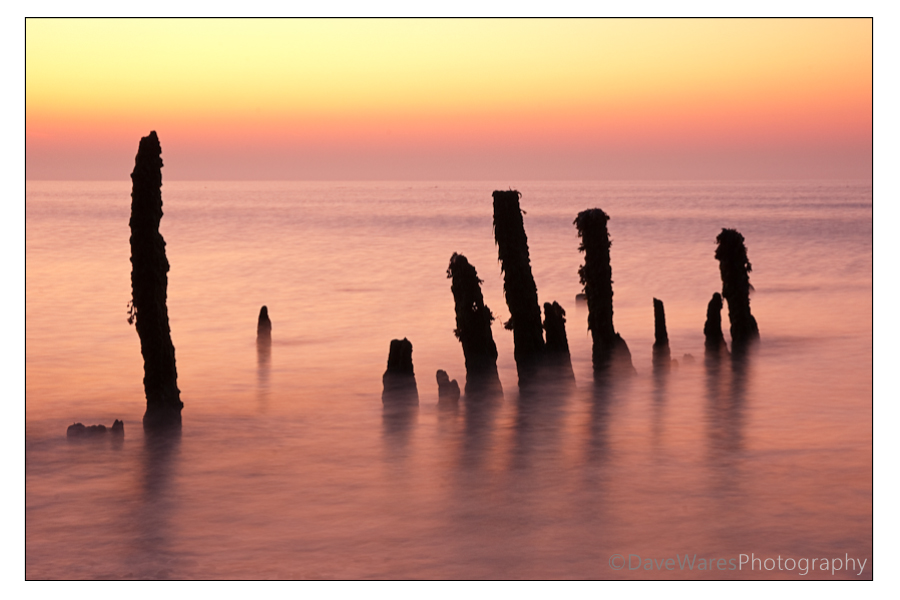


 Dave Wares