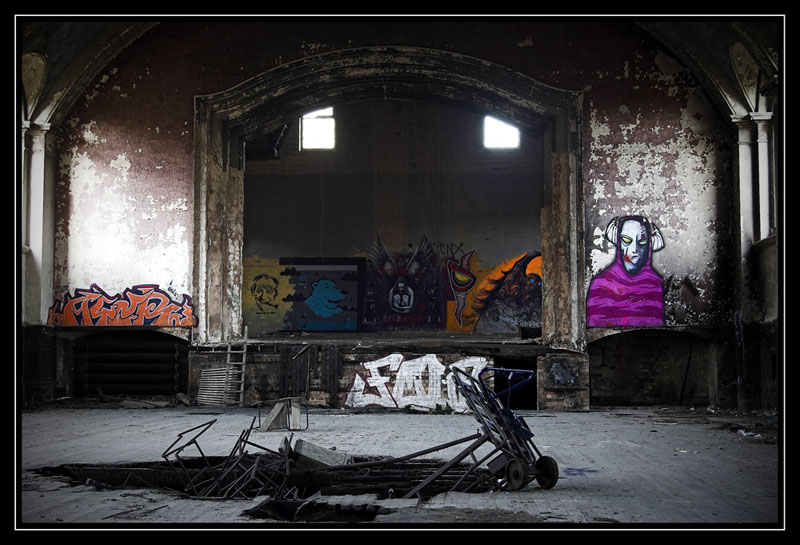
Blog, Urbex

Memories of Hell Pt1

I’m taking a trip down memory lane as we take a look back at the now virtually demolished Hellingly Hospital.

Having seen a couple of recent blog posts from my Twitter and Flickr friends Mark and Viveca about their recent visit back to Hellingly hospital, and their reports on how it has now been virtually demolished, I thought I’d start a short series of posts looking back at the photos I got throughout my four or five visits to Hell.

Here is a brief description from Wikipedia:

Hellingly Hospital was a large mental hospital in the village of Hellingly, east of Hailsham, in East Sussex, England. The hospital, also known as East Sussex County Asylum or just Hellingly, was opened in 1903. Its architect was G T Hine, one of the great asylum architects of the era.

The hospital boasted its own railway line, the Hellingly Hospital Railway, used principally for transport of coal. This branch line led from the main line to the boilerhouse. The hospital also had a vast laundry, ball room, patients’ shop, sewing rooms, nurses home, extensive grounds, and an advanced utilities network for its time, including a large boilerhouse and a water tower. It followed the compact arrow plan for the main hospital, with separate villas surrounding this.

The majority of the hospital closed throughout 1994, however, and to this day much of the 25.4 hectare site stands derelict and extremely run down, after suffering repeated vandalism and multiple arson attacks.”

Someone will have to edit this very soon.
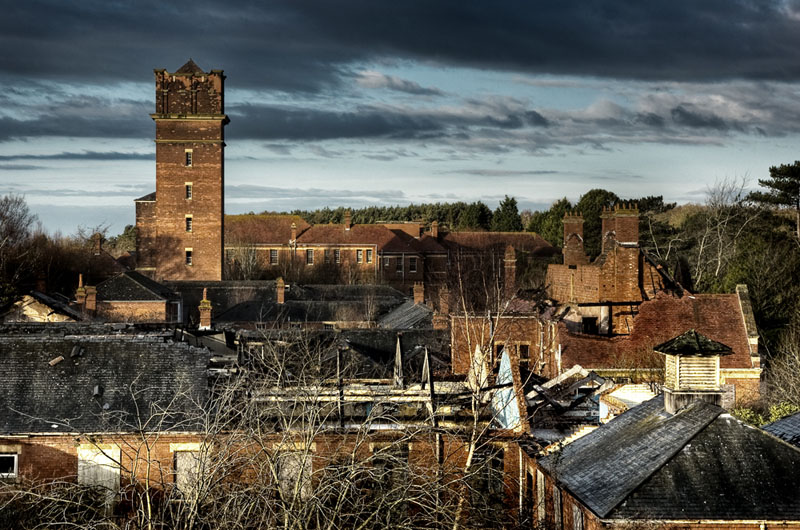
View through a corridor window looking across to the water tower towards the lower block.

It was my friend and work colleague Rob that first had an interest in going as he was looking for something new to photograph. After doing some research on Google, he found that a bunch of local graffiti artists had ventured in and set about doing their thing. When he told me about this a visit was inevitable. This was back in early 2008 and up until that time I was concentrating mostly on landscape and nature photography, urban exploration was new to me and I didn’t realise it would have such an effect on me, taking my photography in a whole new direction. It was in mid March of 2008 that both of us ventured onto the site (although I believe Rob had taken a trip in once already), and with no signs of permanent security we just drove up and parked up opposite the admin block, which was nothing but a burned out shell. A quick scan of the perimeter fence and we were in, my eyes lit up, I was like a kid in a candy shop. Photographic Heaven in the bowels of Hell!

And so began my journey into the world of UrBex photography.

All the pics that I’ll be posting were taken between March 2008 and December 2009, in fact on our last visit where I did some fun Xmas pics we both got rumbled by security upon our exit. Sadly I did not get the opportunity to visit during 2010 and it seems like it is now too late for me to get back before it’s all gone.
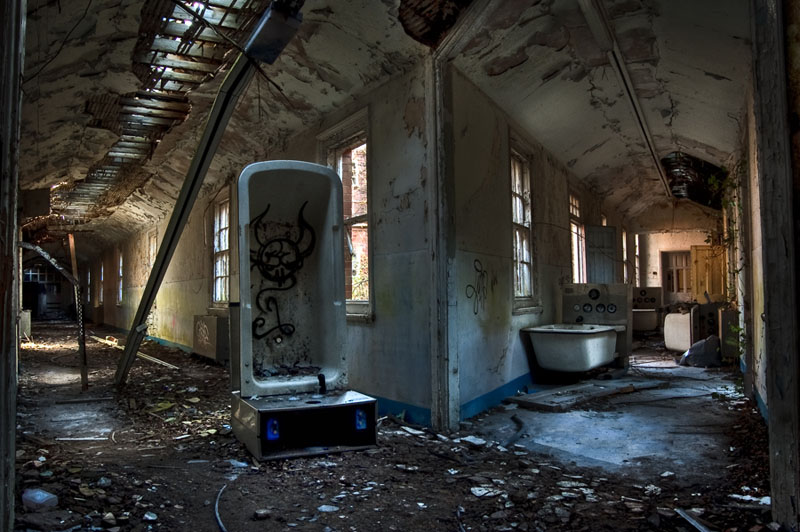
One of my favourite corridors. Most were empty but the baths found in this one had a haunting feel to me.
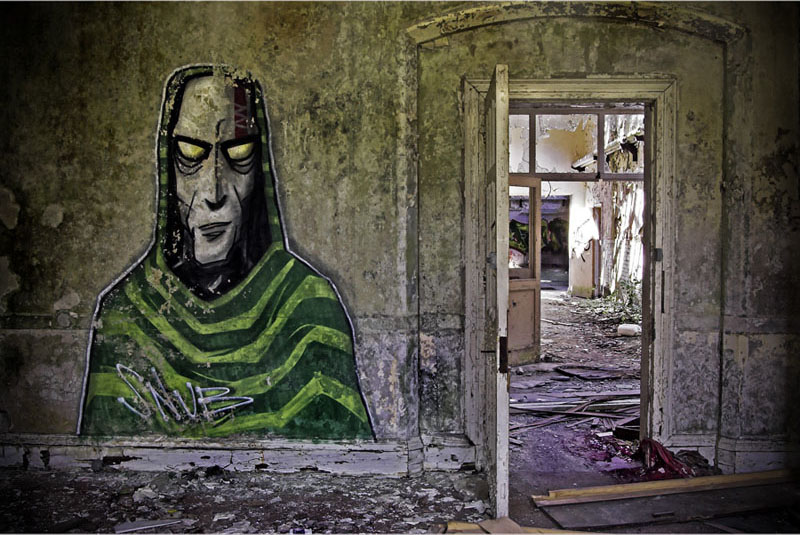
Some hate graffiti but I personally love it. I think the combination of art and dereliction tend to compliment each other very well. This room was so damp that even after just a couple months this work was already in a bad state.

More work to come. Thanks for stopping by.


Blog, Tips, Urbex

My old style grunge look

(By adding a mono layer to your image you can give your shot a whole new look)

Over the past year I have become know in photography circles for being something of a HDR chap, and for the most part the bulk of my work during 2010 was indeed processed using HDR software. It hasn’t always been that way, in fact I didn’t have any HDR software until January of 2010…Since then I’ve caught the bug and haven’t regretted it one bit. Prior to 2010 I used a different method of giving my Urban exploration work that ‘grunge’ look by blending both colour and mono layers together in Photoshop.

There can be a lot of fiddling about with getting the tones and levels right but the basic idea is this: Open your picture into Photoshop (I’m using Elements) and duplicate the layer, then set the blend mode on the new layer to ‘Screen’, this will lighten the photo. Then right click on that layer and select ‘Merge layer’, you will be back to one layer. Duplicate this layer and convert the new layer to mono using your preferred method. If you use the ‘Convert to Back and white’ tool you will see a range of presets that give different mono looks, such as infra-red, landscape, portrait etc Play around with these and see how the colours react (though you will be seeing black and white). e.g For the picture above I chose to use the infra-red as it darkened the blues and brightened the green areas. Now you have both a colour and mono layer in the layers pallet. With the mono layer still selected, change the blend mono to ‘Multiply’. What you should now see is a much more contrasty and dirty looking picture and if you’re happy with the way it looks then flatten the layers and save. I find that for the most part additional adjustments are required but these vary from picture to picture, usually I’ll change the opacity of the mono layer or use adjustment layers to change the brightness and contrast for each layer. Sometimes I will flatten the layers and use the highlight/shadow tool to balance the image.

As you can see it is not an exact science, but with a little Photoshop know-how you can give your shots that dirty grungy look that some derelict places seem to benefit from, at least in my opinion.

Here is a shot I did a couple of years back using the same method.

Blog, HDR, Urbex

Everythings covered

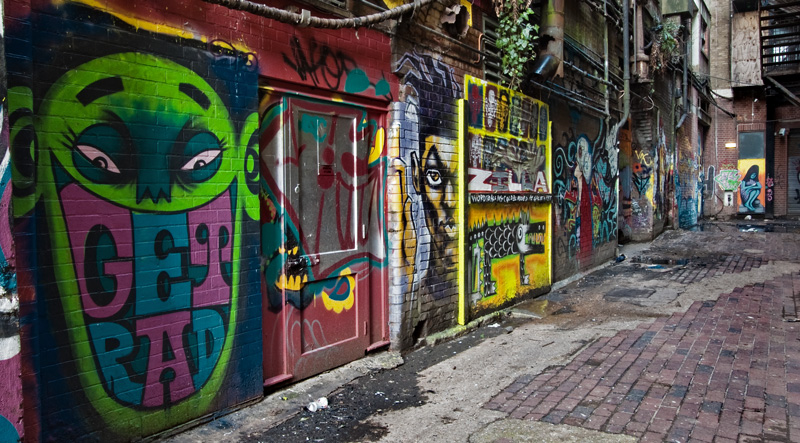
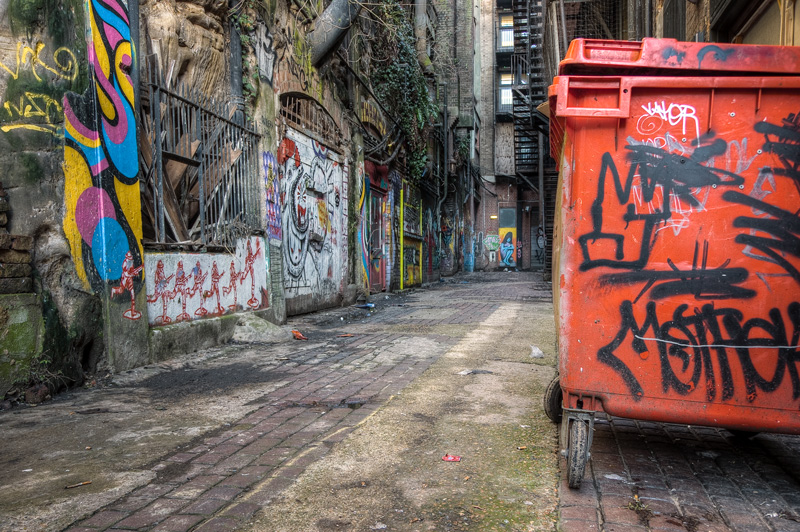
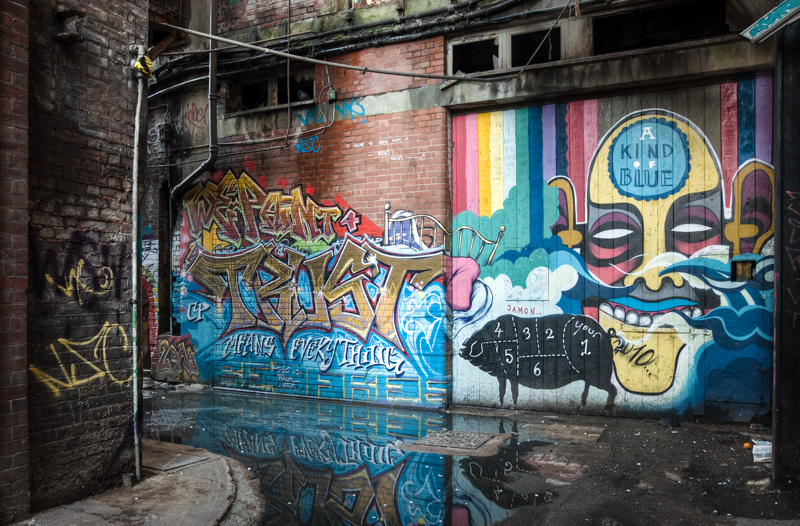
Just a short post today. Taken behind the public library and probably one of the few places left where CCTV hasn’t been installed, hence a great place to perfect your graffiti talents.

This is a similar view to a shot in a previous post, but this time taken much further back. For this one I explored various angles in an attempt to come up with something a little different to what I had taken before. I quite like the bin as a dominant object to use in the foreground and the low angle to try and make the perspective that little bit more interesting.


Blog, HDR, Tips, Urbex

In the undergrowth

Sometimes it takes a little while to decide on how to process an image, if at all, and this is one of them. The car itself was almost all obscured by trees and twigs but there was enough showing at the front to make an interesting picture. I like the way nature has enveloped it, as if to hide it from view as it slowly decays.

I had an idea that I wanted to remove the colour from the scene to help enhance the sombre feel. Sepia toning was my first thought but something didn’t sit right when I applied it. Then I had an idea…A while back I had put an exposure through Photomatix to try and enhance the grunge within the scene, this was then exported back into Lightroom and I started to play with the different presets the you can use to give your pictures certain appearances. And what a difference these effects have on your photos after being tonemapped. I found that the one that really stood out was the ageing preset, though initially blowing the highlights and giving a bleached out look, this could be easily brought back playing with the exposure and brightness sliders. It was a revolution in how I was to go about working on some of my images, especially my dereliction shots.

So this was to be the approach I used for this shot, and it worked a treat. I was still unhappy with the slight sepia colouration that the preset gave, so I changed the colour temperature sliders until I settled on this very subtle blue tone. With some additional dodging and burning and a slight vignette I eventually ended up with a shot that satisfied the initial feel that I had in mind.

So have a play with those presets, not as a one click solution, but as a bases to take your shots in a different direction. Remember, photographers have been working on and changing how they present their work for years and years, well before the digital age. I was listening to a recent podcast from Chris Marquardt interviewing a chap by the name of George Smyth who develops his pictures using a process called Bromoil . It was very interesting indeed and although this is very different from my working digitally, the ethos is very much the same. I highly recommend checking the podcast out.

Blog, Landscapes, Tips

The Early Bird

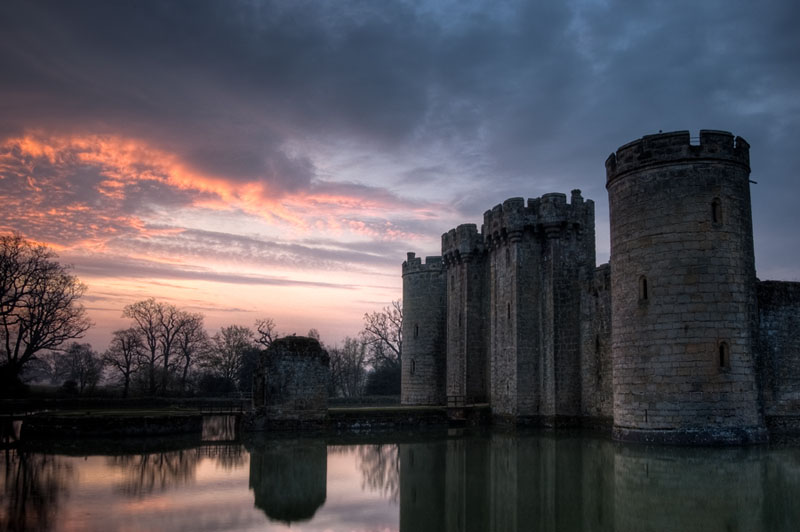
Bodiam Castle shot moments before sunrise giving a lovely orange glow reflected on the clouds.

The early bird catches the worm, and the same goes for photographers if you want to get out and take great pictures. There is no hard and fast rule but generally speaking the best time to get a great quality of light is to be out at either end of the day. From dawn till just after sunrise, and from about an hour either side of sunset.

Get there early!

Of course there are going to be differing factors throughout the year, such as shorter days during winter where the sun is also lower, and longer days during the summer months where the sun gets much higher and stronger, but whatever time of the year I would always recommend getting out as early as is necessary. Find out when sunrise is and get there at least an hour before, this will give you time to walk around to find the best spot and set your gear up. If you’re ready to go with time to spare you’ll be much more relaxed giving you the opportunity to take in your surroundings. I think that if you can immerse yourself with what’s going on around you, the feeling you get will translate to the picture and hopefully the viewer.

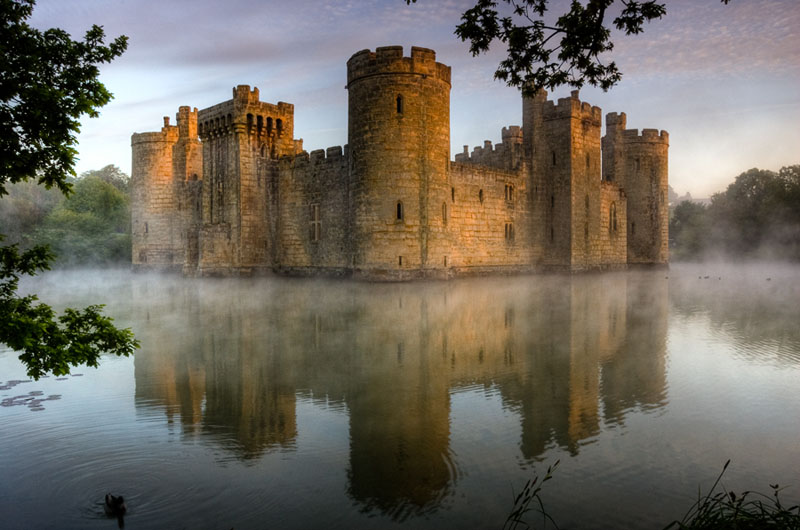
Take these pictures for example. I arrived whilst it was still dark thus giving me time to have a good walk around to view all the angles and consider different compositions. Once I had the pictures in my head it was just a matter of watching the sky to see where the first signs of light would come from. The low morning sun gives beautiful warm tones and because it’s low it casts shadows that define elements in the scene, giving a greater sense of shape and depth. The shot above was bracketed and tonemapped so I could get some detail in the stonework which the camera couldn’t record in a single exposure but my eye could see perfectly. I could’ve used an ND grad to help balance the sky but this would have darkened the tops of the towers. Even when doing an HDR image it is important to keep the shadows and not get carried away with balancing all the elements in the scene just because the software can make it possible.

The shot below (taken on a different day, not bracketed) shows the light just after sunrise, with the warmth of the sun being just enough to evaporate the water giving the scene a wonderful moody atmosphere. It just wouldn’t have had the same feel and impact had it been taken during the middle of the day, and I certainly wouldn’t have got all the steam coming from that moat.

So get up early and don’t be tempted by the warmth of that duvet…You’ll be rewarded.