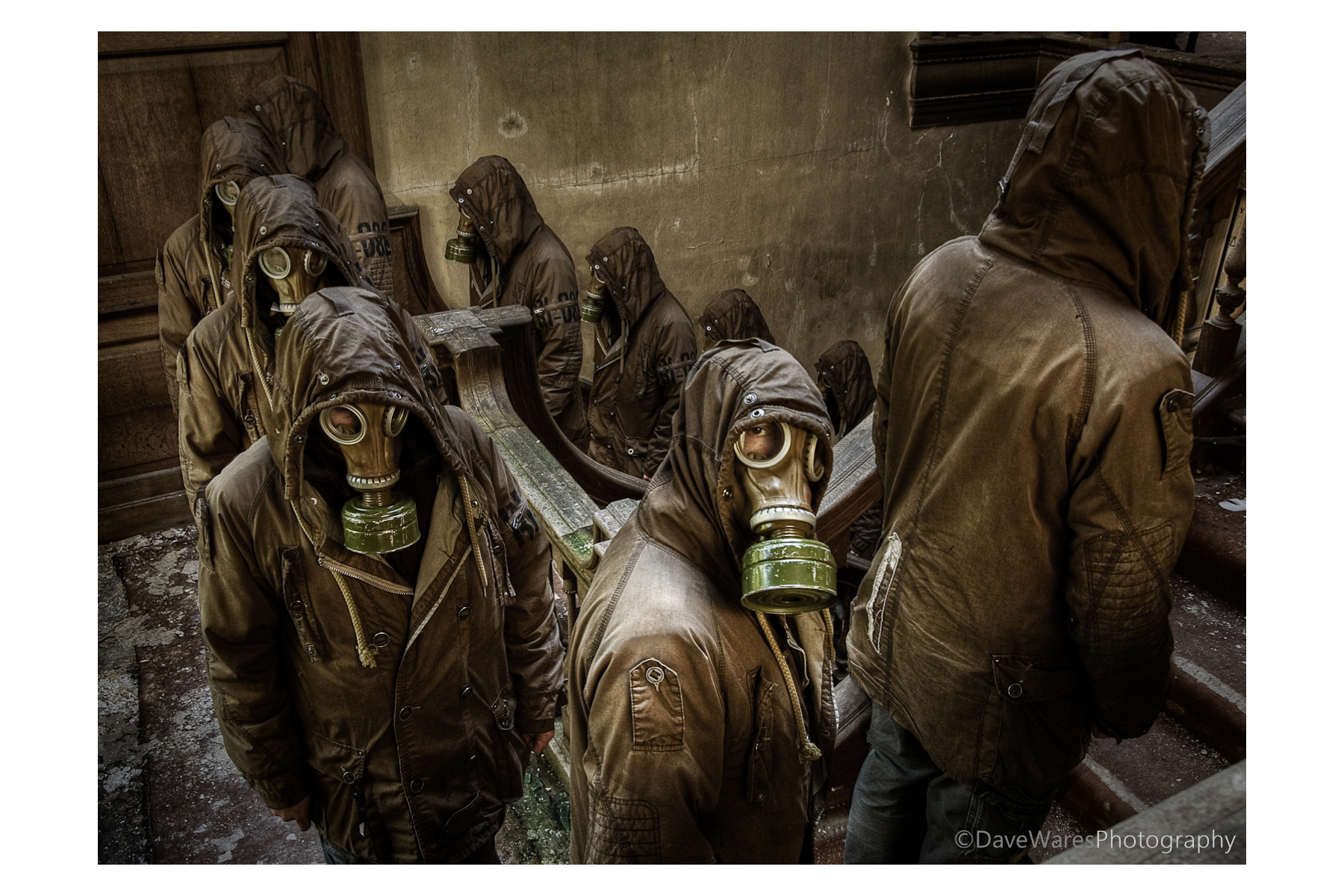
 Some people have been asking me about how I went about producing this shot, so I’ve finally got round to doing a post on it.
About a year ago (almost to the day) during an urban exploration shoot I took a series of photographs to create a sort of surreal image of a bunch of sinister looking figures ascending the main staircase. That sinister figure was to be me in that ever popular urbex accessory, the gas mask. I had been to this location once before and between visits I was pondering different ways of making an interesting picture. Having knowledge of the location I knew exactly where to place the camera and though my initial thought was to have me on each step, I decided that it would probably become too cluttered and so decided to stand on every other step instead. It wasn’t until a couple of months later that I would actually attempt to put all the shots together.
People have been doing multiplicity shots for years and I think it’s something everyone tries out at some time or another. The process itself is actually quite straight forward, though it can become rather time-consuming depending on how many people you want in the final result. As with any kind of photography it always works best if you have a decent idea or point to the picture rather than doing one for the sake of the process, if that makes sense.
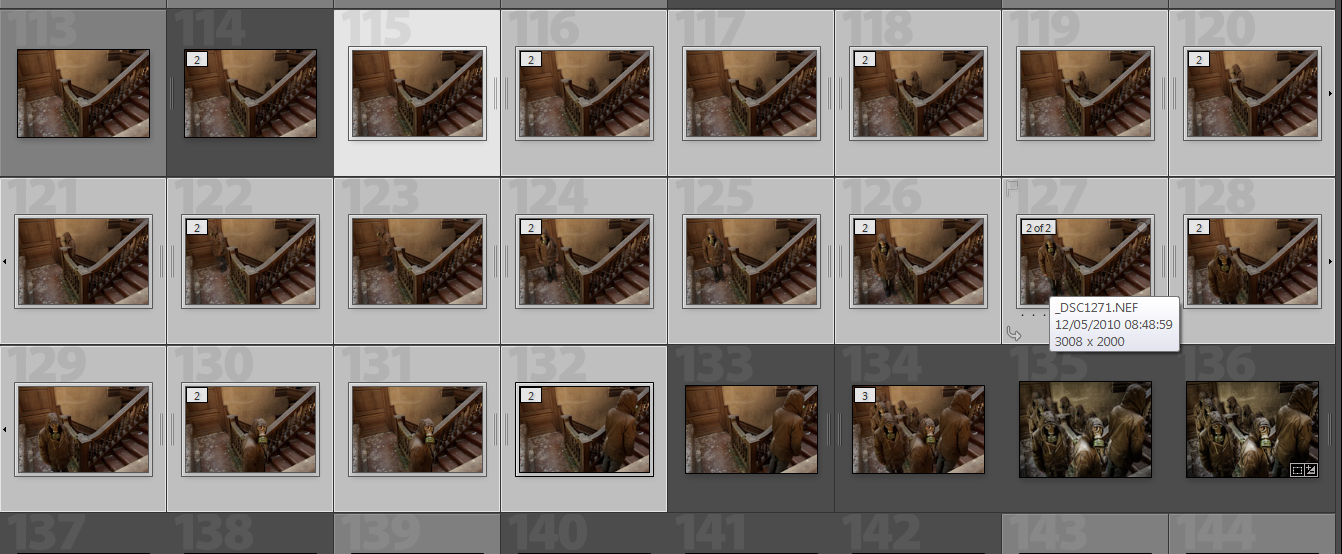
So here’s how to do it.
First set up the camera on a tripod and switch the camera to manual exposure mode as you want consistent exposures throughout the shots, then set the shutter to remote self timer. Next is choosing where to focus and what aperture you’ll want. You’ll most probably be using a wider angle so you’ll be able to get away with a much more shallow depth of field, this will in turn increase the shutter speed and help to avoid recording any unwanted movement, especially in lower light situations such as in my shot. In this shot I decided that I wanted to have the focus primarily of the figure facing the camera, so with the autofocus still on and remote in hand I took a test shot standing in the centre of the scene. Once this shot was taken I went back to the camera and switched the focus to manual thus keeping it focused in the right place. So now we have the camera in total manual control so each of the shots exposure and focus will be exactly the same. This is very important when it comes to merging them all together later. Then I just had to get into position, press the shutter (on timer) and as soon as I heard it click move to the next position, and so on.
So what you’ll end up with is a series of shots as you see in the picture above.
At this point I did no processing at the RAW stage, we want to keep total consistency and so I merged the shots before doing any post processing in terms of exposure or colour etc. The next this is to bring the shots into Photoshop or similar software with a layers capability. You can bring them all in at once or, as I did, bring only a couple in at a time. This was just for my own benefit so I didn’t get confused.
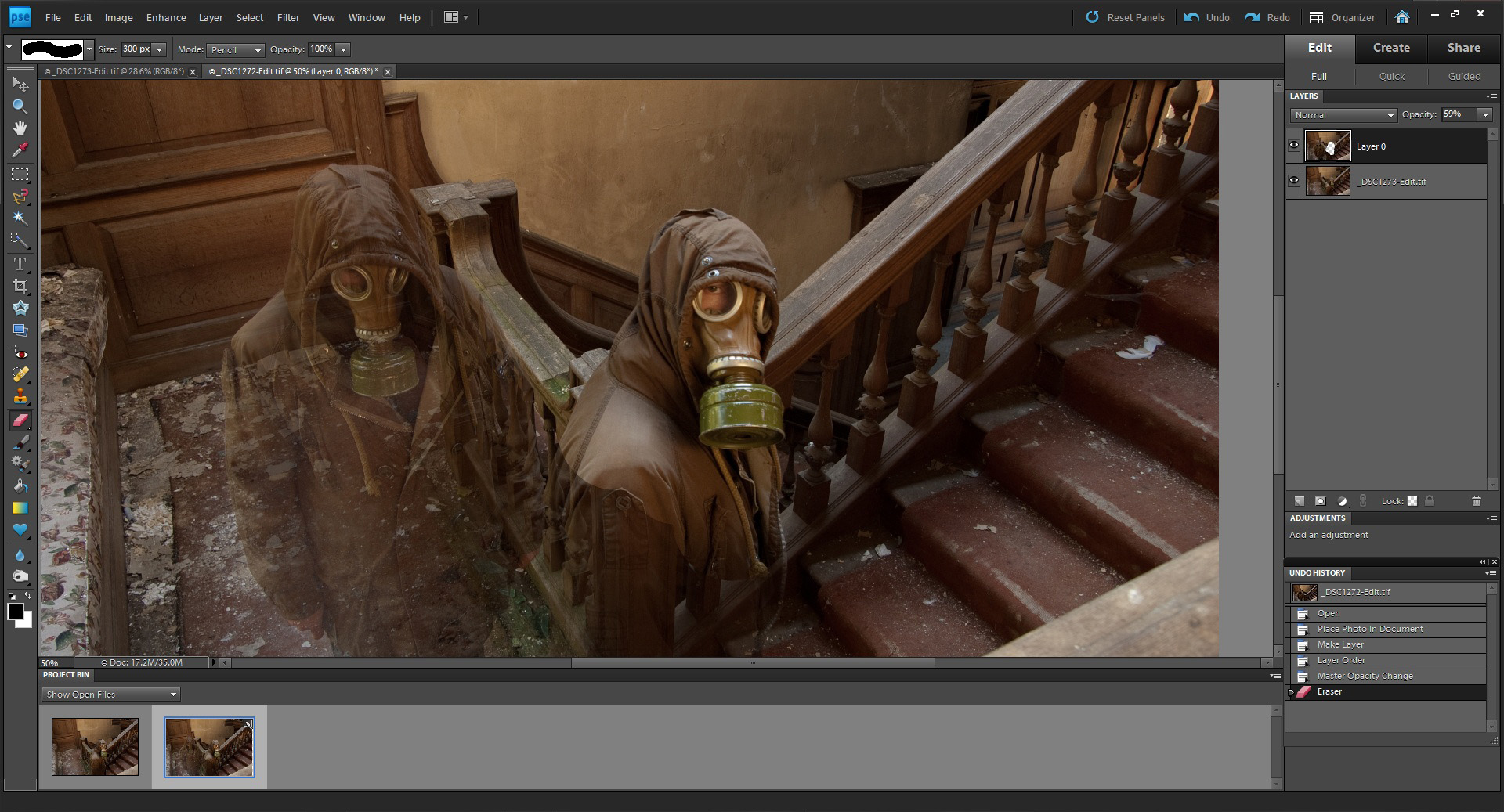
If you have overlapping people then make sure you have the layers set so that the furthest figure is set as the bottom layer (to unlock a background layer just double click on it, a box will appear, just click OK). Click on the top layer and reduce the opacity to around 60%, you should now see both figures as in the picture above. Zoom in as much as you like and grab the eraser tool then start to rub through over your figure. Try to be as careful as you can but if you slightly go over the edges it shouldn’t matter too much as all your shots are exposed the same. Of course you can always go back a step with the history palette.
Once you’ve revealed all of your figure change the opacity back to 100% and checking it all looks good, right-click on the top layer and merge the layers. Bring in the next image as a layer and repeat the process.
Tip: If you have all your images in the project bin (as seen here in Photoshop Elements9) you can simply drag an image onto the main one to add as a layer.
Once all ten of my images were together I then imported them back into Lightroom to make my tonal adjustments and a slight crop to tighten the composition. In addition to this I decided to tonemap it in Photomatix to give added drama and grunge. You can see the difference in the thumbnails on the lower right in the middle shot.
And there you have it. This has probably been my most well received shot to date and I was very happy indeed when it was chosen ‘Best image’ at the Sussex Federation DPI competiton this year.
I hope this has been of some use to some of you, I know there are a number of tutorials out there on this subject but this is how I go about it.
Thanks for looking and happy shooting.
 Dave Wares